Solar testing becomes more demanding as panels, inverters, batteries, and power optimizers grow more complex. Outdoor testing remains valuable, but sunlight changes every minute. Clouds shift. Temperatures drift. Measurements become difficult to repeat.
Solar Emulation Software provides a controlled way to reproduce photovoltaic conditions inside a laboratory. Engineers can define irradiance curves, temperature changes, shading events, and fast transients. A programmable solar simulator can then follow these profiles with repeatable electrical output. This helps teams compare products under the same test conditions. It also reduces dependence on weather, location, and limited daylight hours.
The benefits are practical. A test engineer can create a 1,000 W/m² profile, apply a sudden cloud event, and observe inverter tracking behavior on an oscilloscope. Results can be logged automatically and reviewed against project requirements or relevant technical standards. When paired with calibrated equipment and traceable measurement methods, Solar Emulation Software supports more reliable engineering decisions.
It is not a perfect substitute.
Real sunlight includes reflection, soiling, wind, module aging, and installation differences. A software model may simplify these effects or use assumptions that require review. Experienced teams should therefore validate simulated results with selected field measurements. They should also document model settings, instrument accuracy, test limits, and unexpected behavior. This disciplined approach makes the software more than a convenience. It becomes a repeatable part of a credible solar testing process.
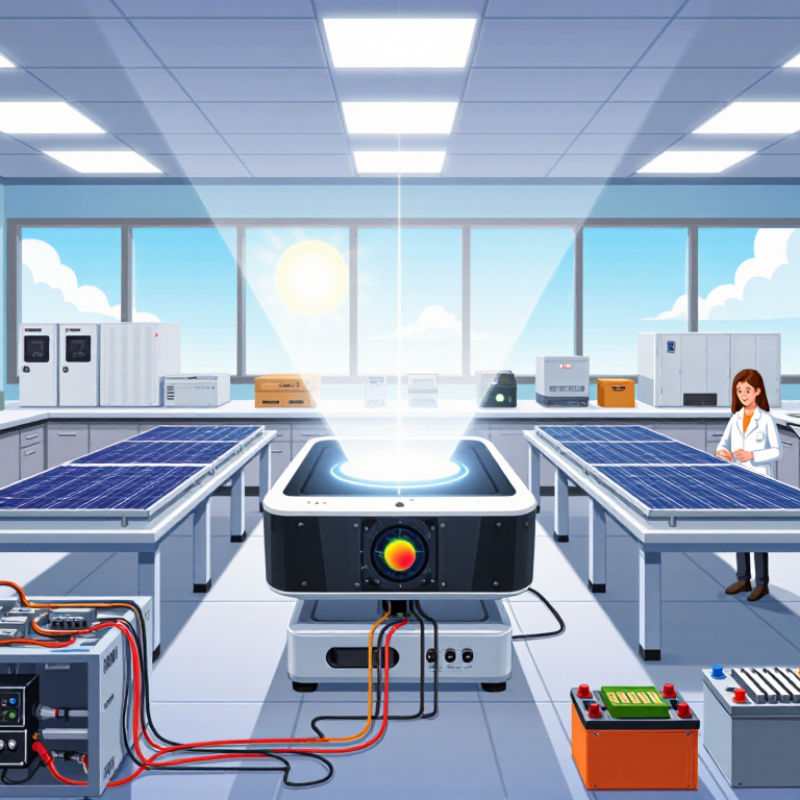
Solar emulation software is a control and modeling tool for realistic photovoltaic testing. It recreates sunlight conditions without waiting for weather or daylight. The software calculates electrical output from irradiance, module temperature, shading, and dynamic load changes. It then commands a programmable DC source or solar simulator in real time. A test engineer can create a clear 1,000 W/m² profile, a cloudy ramp, or partial shading across several strings.
A test engineer can create a clear 1,000 W/m² profile, a cloudy ramp, or partial shading across several strings.
1,419 GW
of global solar capacity by the end of 2023.
This matters as solar deployment expands. The International Renewable Energy Agency reported about 1,419 GW of global solar capacity by the end of 2023. More installed capacity creates tougher requirements for inverters, storage systems, and grid controls. Emulation software helps laboratories repeat identical tests, record voltage and current, and compare results under controlled conditions. Test procedures can also reference IEC 60904-9, which defines photovoltaic simulator performance classifications.
The strongest systems combine physical measurement with software models. They can reproduce fast irradiance changes, temperature drift, and unusual I-V curves. That detail is useful during inverter protection testing. However, emulation is not magic. A weak model can produce precise-looking but misleading results. Real modules age, connectors heat up, and sensors introduce errors.
Engineers should validate simulated curves against measured outdoor data.
The IEA Photovoltaic Power Systems Programme has repeatedly highlighted the importance of reliable performance data as PV systems become more complex.
That validation step is often skipped. It should not be.
Solar emulation software reproduces changing sunlight inside a controlled testing environment. It models irradiance, spectral distribution, cell temperature, and shading patterns. Engineers can adjust these conditions within seconds. The test may begin with bright midday sun, then shift toward cloud cover. A gradual ramp can reveal how a photovoltaic system responds to unstable input power.
The software also generates electrical current-voltage curves from measured or modeled solar conditions. These curves help evaluate maximum power tracking, inverter response, and battery charging behavior. Real-time feedback connects the simulation with laboratory equipment, allowing repeatable tests without waiting for suitable weather. That matters when outdoor conditions change unexpectedly.
Accurate results depend on reliable sensors, careful calibration, and realistic input data. A simplified spectrum may overlook small but important effects. Temperature assumptions can also distort performance readings. Experienced engineers compare simulated results with outdoor measurements and investigate differences instead of hiding them. This process builds confidence, but it requires judgment. Solar emulation software is powerful because it makes difficult conditions repeatable, not because it removes every uncertainty.
Solar emulation software turns a solar test bench into a controlled experiment. It can reproduce target irradiance, spectrum, temperature, and daily profiles without waiting for weather. That control supports repeatable photovoltaic measurements. In practice, a technician may set 1,000 W/m², 25°C, and a defined ramp time. The software should display each value clearly. Small errors become visible.
Accurate testing depends on closed-loop control and fast feedback. The program should read irradiance sensors, voltage, current, and module temperature continuously. It should correct output when a lamp warms or a load changes. Important features include IV-curve tracing, maximum-power tracking, programmable shading, and synchronized data logging. Timestamped records help engineers compare modules across repeated runs. Exportable raw data also supports independent review.
Calibration management is equally important. A reliable system records sensor coefficients, calibration dates, uncertainty, and operator settings. Traceability strengthens confidence in efficiency and degradation results. Safety interlocks should stop output during overheating, door opening, or abnormal current. No simulator is perfect. Reflections, sensor drift, and imperfect spectral matching can still influence results. I would leave a margin for these effects, rather than report false precision. That habit may slow a test, but it makes the evidence more honest.
Traditional solar testing often depends on outdoor conditions, large test areas, and carefully timed measurements. Cloud movement can change the irradiance within seconds. Temperature shifts can also affect module output. Solar emulation software creates a controlled digital test environment instead. Engineers can reproduce irradiance profiles, temperature conditions, and shading patterns indoors, even at night.
Repeatability is the main advantage. A test team can run the same profile today and next month. This makes performance comparisons clearer and reduces weather-related uncertainty. Software-based control also supports automated data logging, faster parameter changes, and safer low-light testing. No sunlight is required. That matters when evaluating power electronics, storage systems, or grid responses under unusual conditions.
Still, emulation is not perfect. A simulated profile may miss dust, wind, aging, or unexpected reflections found outdoors. Results depend on sensor calibration, model quality, and operator experience. I have seen precise-looking data become unreliable after a small calibration error. Regular verification against reference measurements remains necessary. The strongest testing programs use emulation for controlled analysis, then confirm important findings under real environmental conditions. That combined approach costs more planning, but it exposes weaknesses that either method alone may overlook.
Why Choose Solar Emulation Software for Solar Testing?
How to Select and Apply Solar Emulation Software
Choosing solar emulation software begins with the test question, not the feature list. Decide whether you need photovoltaic I-V curves, inverter behavior, or long-duration performance data. Then match the simulator’s irradiance range, spectral settings, voltage limits, and response speed to your equipment. In practical laboratory work, poor range matching creates misleading results. A panel may appear stable while the emulator quietly clips its current. Check calibration records, measurement uncertainty, and data export formats before purchasing.
Tips: Run a small acceptance test before full deployment. Use a reference cell and a calibrated meter at several irradiance levels. Compare commanded and measured values, including rise time and ripple. Keep cables short and document connector resistance. Tiny errors matter. Apply the software with a repeatable workflow: load the profile, verify the setpoint, start the test, and log every change. For grid-connected equipment, define fault responses and isolation procedures with qualified personnel. Do not assume a smooth graph proves accuracy.
Reliable selection also depends on usability. Engineers should inspect scripting support, access control, version history, and report traceability. A clear interface helps, but automation reduces operator variation during repeated tests. Choose software that reproduces earlier runs from saved profiles and raw data. I have found that documentation is often judged too late. If a parameter lacks a clear definition, the test may be repeatable but difficult to defend. Leave room for review. Ask an independent colleague to challenge the setup before results guide a design decision.
| Evaluation Dimension | Recommended Requirement | Why It Matters in Solar Testing | Typical Application | Selection and Application Notes |
|---|---|---|---|---|
| Reference Irradiance | Support for 1000 W/m² and configurable irradiance levels | 1000 W/m² is the standard reference irradiance commonly used for photovoltaic performance measurements. | I–V curve measurement, power-rating verification, and comparative testing | Choose software that supports programmed irradiance ramps, stable setpoints, and repeatable test sequences. |
| Spectral Configuration | AM1.5G spectrum or another clearly defined spectral condition | The spectral distribution affects the measured current of solar cells and modules with different spectral responses. | Single-junction and multi-junction device evaluation | Verify that the software records the selected spectrum and applies the correct calibration or correction factors. |
| Light Uniformity Control | Mapping and monitoring across the complete test area | Non-uniform illumination can distort current measurements and reduce the comparability of test results. | Module testing, cell mapping, and large-area device characterization | Select software that displays spatial maps, identifies out-of-tolerance zones, and stores uniformity results. |
| Temporal Stability | Real-time monitoring during exposure and measurement | Light fluctuations during an I–V sweep can create errors in voltage, current, and maximum-power measurements. | Fast I–V sweeps, pulsed testing, and repeatability studies | Use synchronized triggering and stability alarms so that invalid measurements are automatically flagged. |
| Temperature Management | Configurable temperature setpoints, commonly including 25°C | Photovoltaic voltage and power vary significantly with cell temperature. | Standard-condition measurements, temperature coefficients, and thermal characterization | Integrate temperature sensors and record the measured temperature with every test result. |
| Electrical Instrument Integration | Communication with source, measurement, switching, and temperature-control equipment | Integrated control reduces manual operations and improves synchronization between illumination and electrical measurement. | Automated I–V sweeps, load testing, and multi-channel experiments | Confirm support for standard communication interfaces such as Ethernet, USB, serial communication, or instrument-control protocols. |
| Test Sequence Automation | Editable recipes with limits, delays, repetitions, and conditional actions | Automation improves throughput and makes repeated tests more consistent. | Production inspection, reliability testing, and research experiments | Prioritize visual workflow editing, reusable test templates, automatic recovery, and operator permissions. |
| Measurement Outputs | Isc, Voc, Imp, Vmp, Pmp, fill factor, and efficiency | These parameters describe the principal electrical performance of a photovoltaic device. | Cell, module, and subassembly performance reporting | Ensure calculation formulas, units, rounding rules, and correction methods are visible and configurable. |
| Data Integrity and Traceability | Automatic timestamps, calibration records, operator identification, and raw-data storage | Traceable records support quality control, auditability, and comparison between test sessions. | Certification preparation, laboratory reporting, and manufacturing quality systems | Use export formats such as CSV or JSON and retain the original measurement data separately from processed results. |
| Standards Alignment | Workflow support for applicable photovoltaic measurement standards, including IEC 60904 series procedures | Standards define measurement conditions, calibration practices, and methods for reporting photovoltaic performance. | Qualification testing, calibration laboratories, and formal performance reports | Treat software support as a workflow aid; verify the complete test setup against the current applicable standard. |
| Calibration Management | Calibration schedules, reference-device records, and expiry notifications | Calibration status directly affects confidence in irradiance and electrical measurements. | Routine laboratory operation and production-line verification | Require controlled updates, calibration history, and clear blocking rules for expired references. |
| Scalability | Support for additional channels, fixtures, sensors, and test stations | A scalable system avoids replacing the control platform when testing volume or device size increases. | Research laboratories moving toward pilot or production testing | Assess channel capacity, response time, licensing structure, database size, and multi-user support before purchase. |
| Result Visualization | Live curves, trend charts, pass/fail indicators, and comparison dashboards | Visual feedback helps operators identify unstable illumination, abnormal curves, and equipment faults quickly. | Debugging, process monitoring, and engineering analysis | Select configurable displays with zooming, overlays, filtering, and direct access to raw data. |
| Operational Safety | Interlocks, emergency-stop integration, over-temperature limits, and access control | Solar simulators and electrical test systems can involve intense light, heat, and hazardous voltages. | Laboratory and production environments | Confirm that unsafe states stop the test and place the equipment in a defined safe condition. |
| Implementation Method | Qualification plan covering installation, calibration, repeatability, reproducibility, and user training | A structured implementation confirms that software functions produce reliable results in the actual test environment. | New laboratory setup, system upgrade, or process transfer | Begin with a small acceptance test, compare results with a validated reference procedure, then release approved recipes. |
It is a control and modeling tool for photovoltaic testing. It recreates sunlight without waiting for daylight or suitable weather. The system commands a programmable DC source or simulator in real time.
It can model irradiance, temperature, shading, spectral distribution, and changing electrical loads. An engineer might set 1,000 W/m² and 25°C. The profile can then shift toward cloud cover.
It generates current-voltage curves and changing power conditions. These tests reveal maximum-power tracking, protection behavior, and response to unstable input. Fast changes are especially useful.
It should record voltage, current, irradiance, module temperature, and timestamps. Raw data should be exportable for independent review. Clear displays help technicians notice small errors.
Closed-loop control responds when lamps warm or loads change. Sensors provide feedback, and the software adjusts output continuously. Without feedback, a controlled test may drift.
They should compare simulated curves with measured outdoor data. Differences may come from sensor errors, temperature assumptions, or spectral mismatch. The model can look exact. It may still be wrong.
Records should include sensor coefficients, calibration dates, uncertainty, and operator settings. These details improve traceability during efficiency or degradation testing. Calibration is easy to overlook.
Safety interlocks should stop output during overheating, abnormal current, or an opened test enclosure. These controls protect equipment and operators. Small safeguards matter.
It cannot remove every uncertainty from real photovoltaic behavior. Reflections, sensor drift, aging modules, and imperfect spectral matching can affect results. I would leave a measurement margin, even if it slows testing.
Solar Emulation Software is a flexible digital solution designed to reproduce the light intensity, spectrum, temperature, and timing patterns found in real solar environments. By creating controlled and repeatable test conditions, it helps engineers evaluate photovoltaic modules, sensors, batteries, and other solar-related components with greater consistency. Instead of depending entirely on changing weather and outdoor conditions, users can adjust test parameters to represent different locations, seasons, and operating scenarios.
Compared with traditional solar testing methods, Solar Emulation Software improves efficiency, repeatability, and data accuracy while reducing the time and resources required for physical trials. Important features include programmable irradiance profiles, real-time monitoring, automated data collection, and compatibility with laboratory testing equipment. When selecting and applying the software, users should consider simulation accuracy, ease of integration, scalability, reporting functions, and support for their specific testing goals. This approach enables safer, more reliable, and more practical solar performance evaluation.